How to choose a wedding CRM without wasting the trial
Choose a wedding CRM with a practical trial plan. Test your booking workflow, team access, data exports and full costs before moving your business.
Business guides · 6 min read
In brief
- Write pass conditions for your ordinary jobs and awkward ones.
- Test the whole booking, including access, changes and exports.
- Compare the total cost of the setup you actually tested.
Choose a wedding CRM by putting the same realistic job through each shortlisted platform. Follow it past acceptance, change something, hand it to another person and then try to export it. That will tell you more than a feature table.
A florist, a celebrant and a venue can all need quotes and invoices. Their work diverges once the booking is confirmed. Your trial needs to reach the part where your business becomes specific.
Write the pass conditions before signing up
Business Victoria recommends separating essential requirements from optional ones before comparing technology. Apply that to work you actually do, rather than copying a vendor's feature list. [1]
Look at two recent jobs. Pick one ordinary booking and one awkward booking, perhaps a date change, several decision-makers or a late addition. Write down where information had to be entered twice and where somebody waited for an answer.
Turn each problem into something you can test. 'Better organisation' is too loose. 'The coordinator can find the current run sheet without opening my inbox' has a clear pass condition. Set your deal-breakers now. An attractive portal should not compensate for a calendar that cannot handle your booking process.
Give the trial a job to do
Define
Write the essential pass conditions.
Run
Follow one job through sales and delivery.
Change
Move the date and inspect the exceptions.
Verify
Check access, exports and the full cost.
Follow one job through the whole booking
Create a test enquiry using invented contact details and an email address you control. Enter a date, location, service and the details that change your quote. Use the same example in every trial so the comparison stays fair.
Send the quote to yourself. Open it on your mobile, accept it and inspect the next step. Check which details carry into the contract and invoice. Then find the booking in the calendar and prepare the information somebody needs on the day.
Keep notes on the work between those steps. A platform can have every named feature and still require repeated copying. Count the manual handovers that matter to you. A photographer may need a gallery delivery task; a venue may need a room allocation and a catering handover. Do not assume either is covered because a checklist says project management.
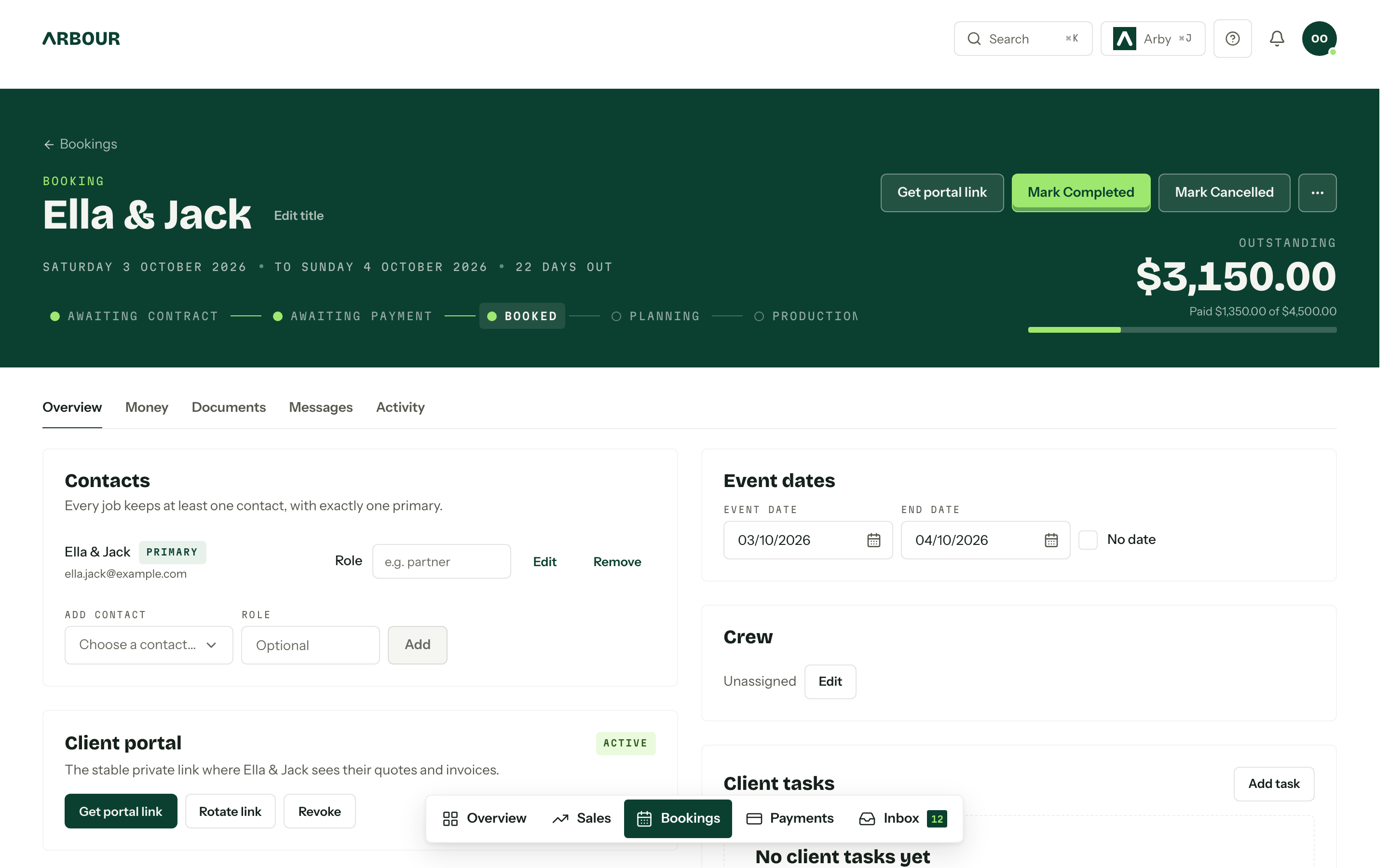
Inspect what carries into the booking
Show full screenShow close-up: Inspect what carries into the booking
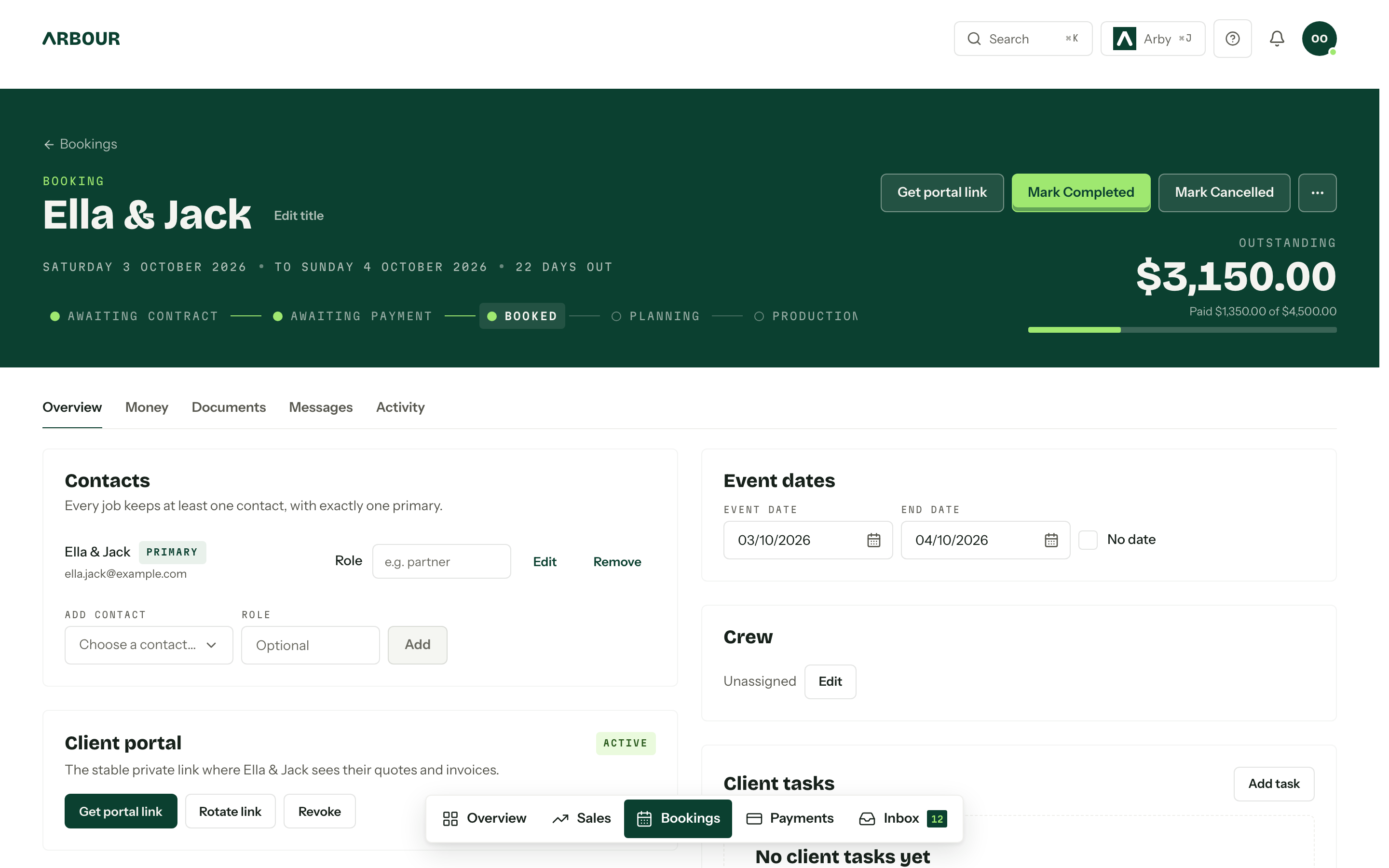
Contacts
Event dates
Crew
Payment status
Change the date and break the happy path
Move the test booking to another date. Inspect the calendar, payment dates, scheduled emails and tasks. Which dates move automatically? Which stay fixed? Both behaviours can be useful, provided you know which one you have.
Next, revise the quote after acceptance and check what remains in the record. Ask how the system handles an additional invoice, a cancelled job and an overdue balance. Test one of those cases yourself. Use test mode where available and avoid charging a real card just to explore the interface.
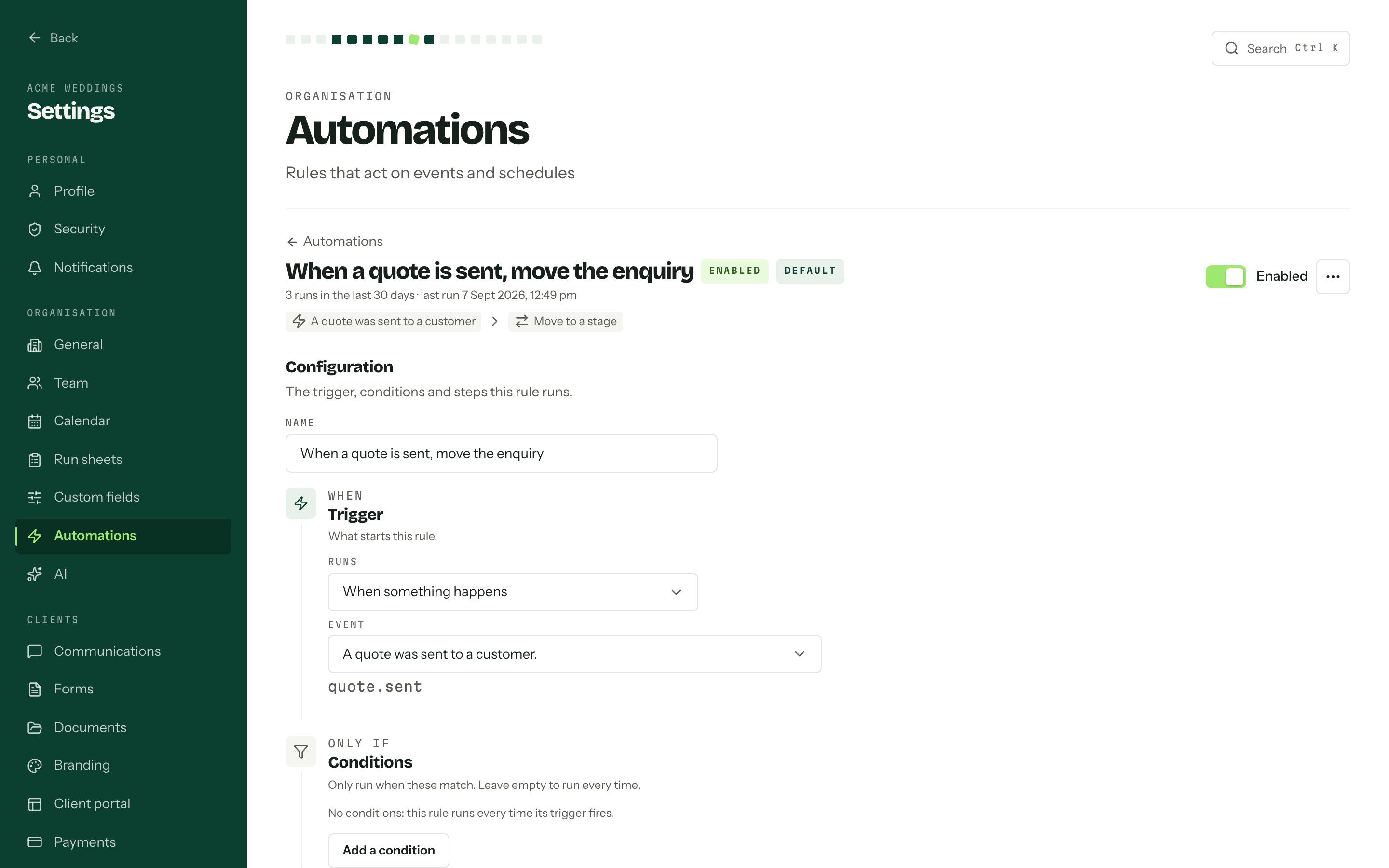
For an automation, write its trigger, conditions and stopping point in plain language. Try the exception too. A reminder that sends correctly is only half the test. You also need to know whether it stops after payment, cancellation or a manual intervention.
Invite the person who will use it on Saturday
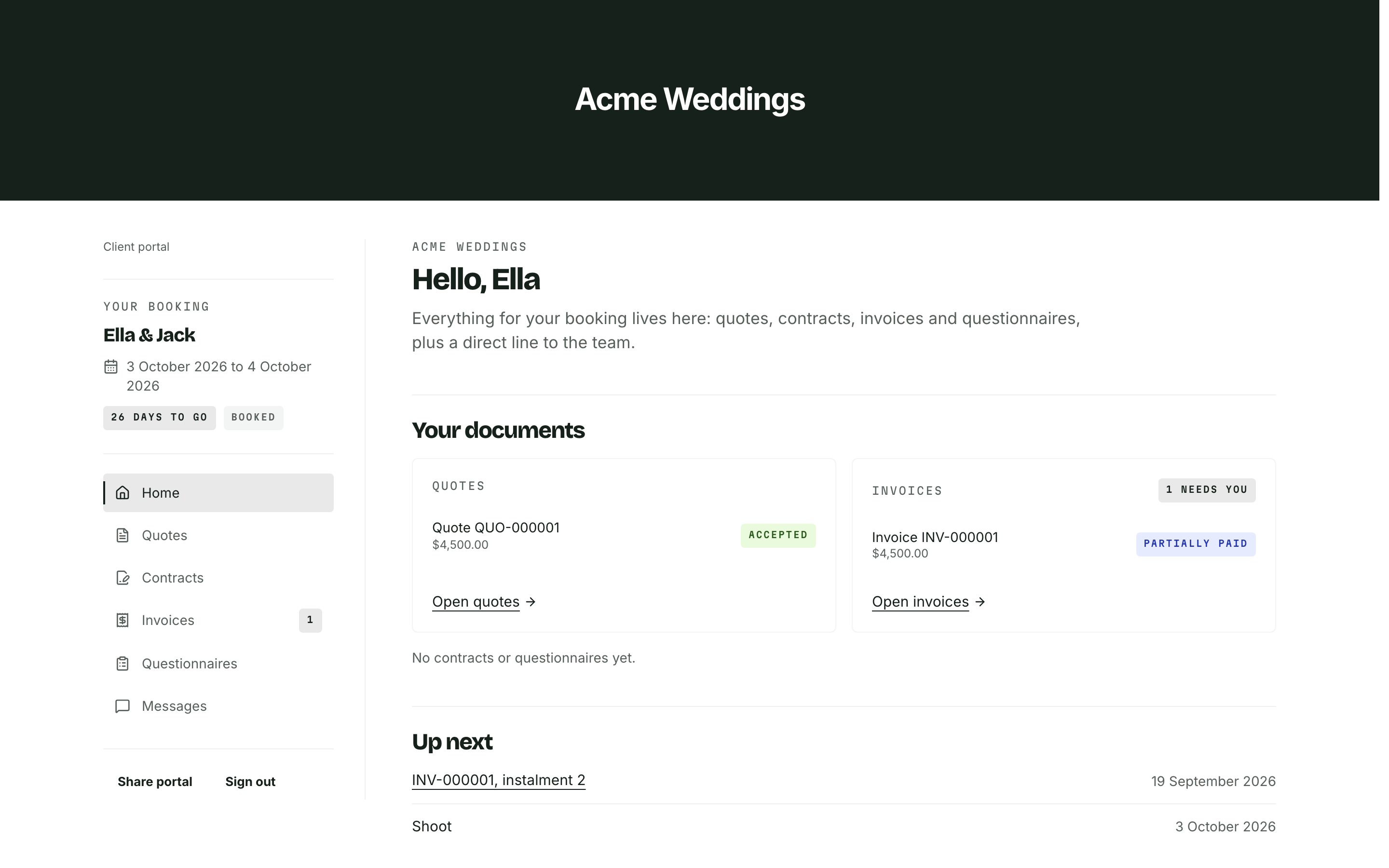
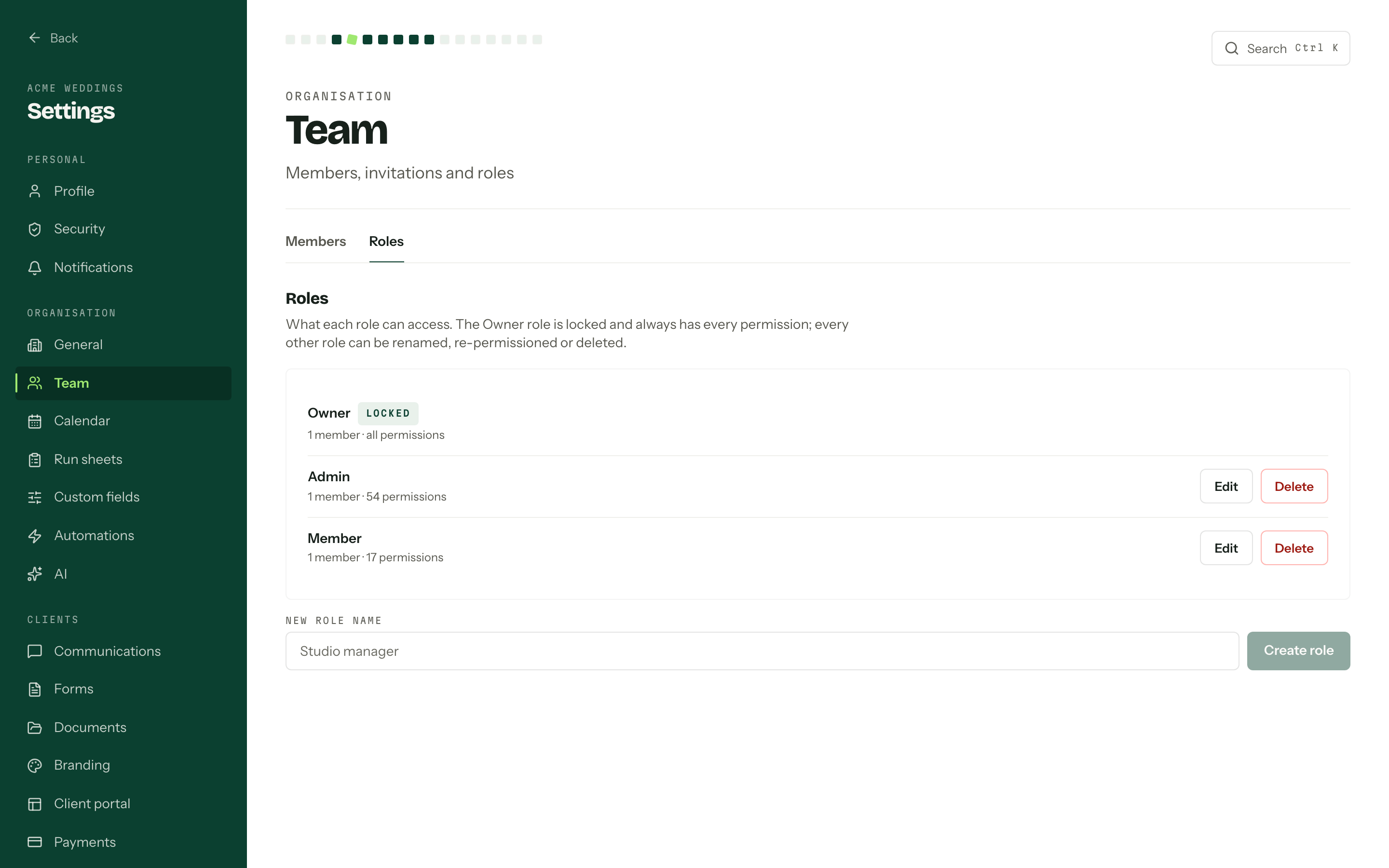
Ask a coordinator or crew member to complete a normal task with their own login. Can they find the address, call time and latest instructions? Can they accidentally change the quote or see information they do not need?
The Australian Cyber Security Centre recommends individual accounts where possible, multi-factor authentication and access limited to what each person needs for their work. Ask each platform how it supports those controls. A team plan and a permission system are separate things to check. [2]
Test removing the person afterwards. Check whether access ends, what happens to assigned tasks and whether the job history remains clear. If you work alone, use this part of the trial to test the client view instead. Open a shared link in a private browser window so your owner session cannot hide a problem.
Test the role, not the owner's login
Show full screenShow close-up: Test the role, not the owner's login
Inspect the export before you need to leave
Download an export during the trial. Open the file and look for job dates, contact relationships, custom fields and payment information. Ask separately about signed documents, attachments and message history. An export button does not describe the contents of its file.
Studio Ninja documents a client CSV with contact details, job counts, consent fields and notes. Dubsado's 3.0 guide describes a project CSV with selectable project and client details, paid invoice totals and custom mapped fields. These are different records, so compare the fields and product version you actually use. [3][4]
For a move into any new system, import a small sample first and compare it against the original. Keep a separate copy of records the new tool cannot carry across. Agree on the changeover date before switching off the old subscription.
Make the decision from your trial notes
Price the setup you tested, including the people, organisations and integrations you need. Record the billing currency, taxes, payment processing costs and any paid help required to configure it. Allow time for rebuilding templates and checking imported records.
Send support a specific question from your awkward booking. Judge whether the answer solves that case. Then mark each essential requirement as passed, failed or still unproven. Follow up the unproven ones before paying for a year.
If Arbour is on your shortlist, use its product walkthrough to check the booking process and the current plan catalogue to check your team setup. Keep the same standard for every platform. Choose the one that passes the work your business needs to do.
Sources
Sources checked on 28 October 2026. Product details and guidance can change.
- 1Choose the right hardware and software
Business Victoria
- 2Small business cyber security guide, January 2025
Australian Signals Directorate's Australian Cyber Security Centre
- 3How to export client list
Studio Ninja
- 4Exporting project data
Dubsado
Published by Arbour, which makes wedding business software. Read our editorial approach.