Wedding CRM, built in Australia.
Arbour is an Australian wedding CRM that keeps sales and delivery on one job record. Enquiries, quotes, contracts, invoices, a client portal and the run sheet, together until the job is paid.
Start free trial14 days free. No card.
The whole vendor list.
Photographers, videographers, celebrants, florists, venues, caterers, bands and DJs, hair and makeup artists, stylists, cake makers and planners. Each business has its own pipeline, packages and custom fields. The software calls the work jobs and the people contacts, so a corporate function or commercial shoot fits too.
Sales and delivery, on the same record.
A wedding CRM needs to keep working after the deposit lands. In Arbour, the enquiry becomes the booking without losing the conversation, the quote or the payment plan. These are real console screens with seed data.
Quote, contract, deposit. One chain.
Send it take-it-or-leave-it, or let the client tick the optional lines. Packages copy in with their price and their description.
Quote out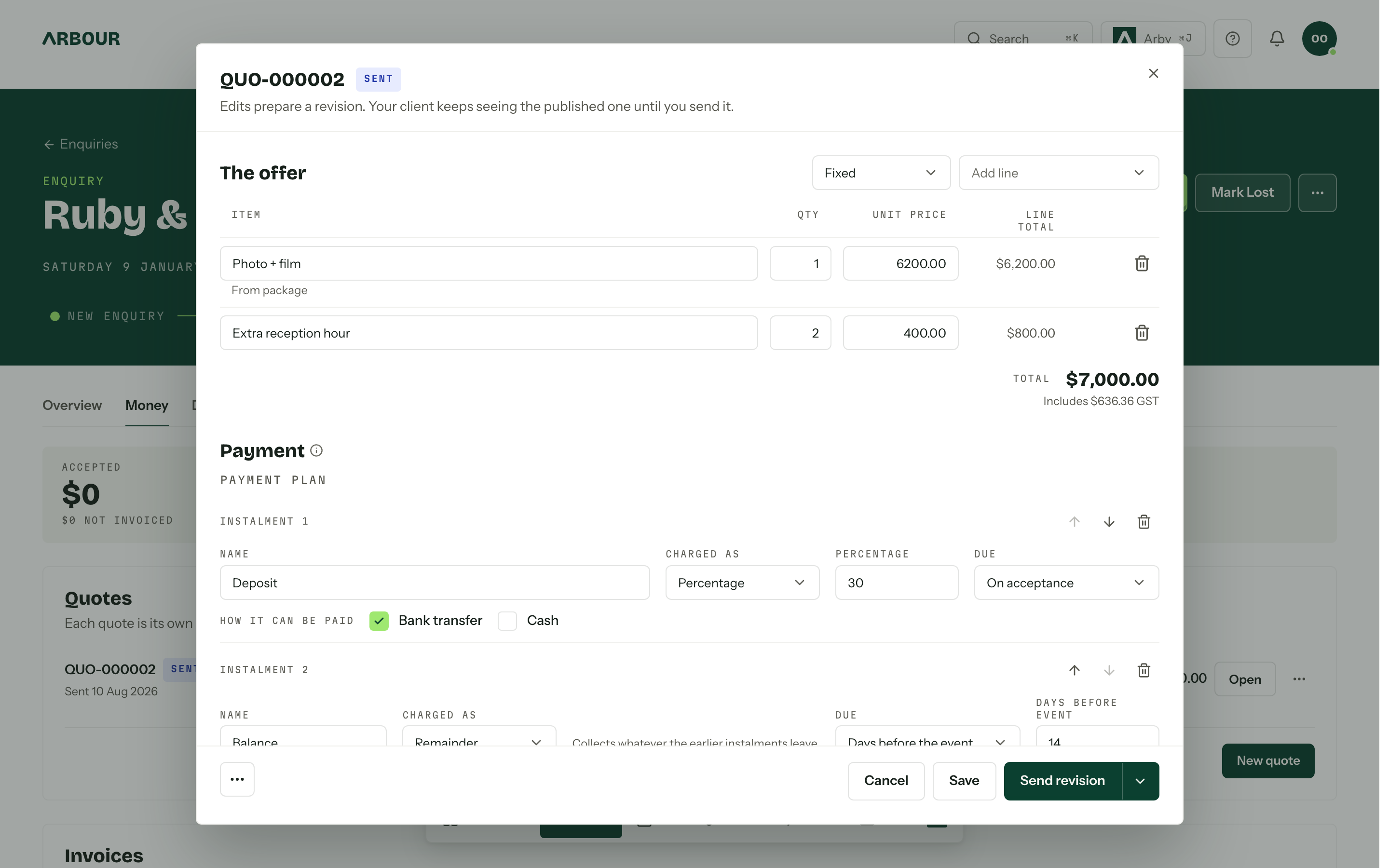
The book, the run sheet, and who is where.
Enquiries, bookings and unavailable time in one grid, by year, month, week or day. Subscribe from your phone. Bridge Google or Outlook so a dentist appointment blocks the date.
The day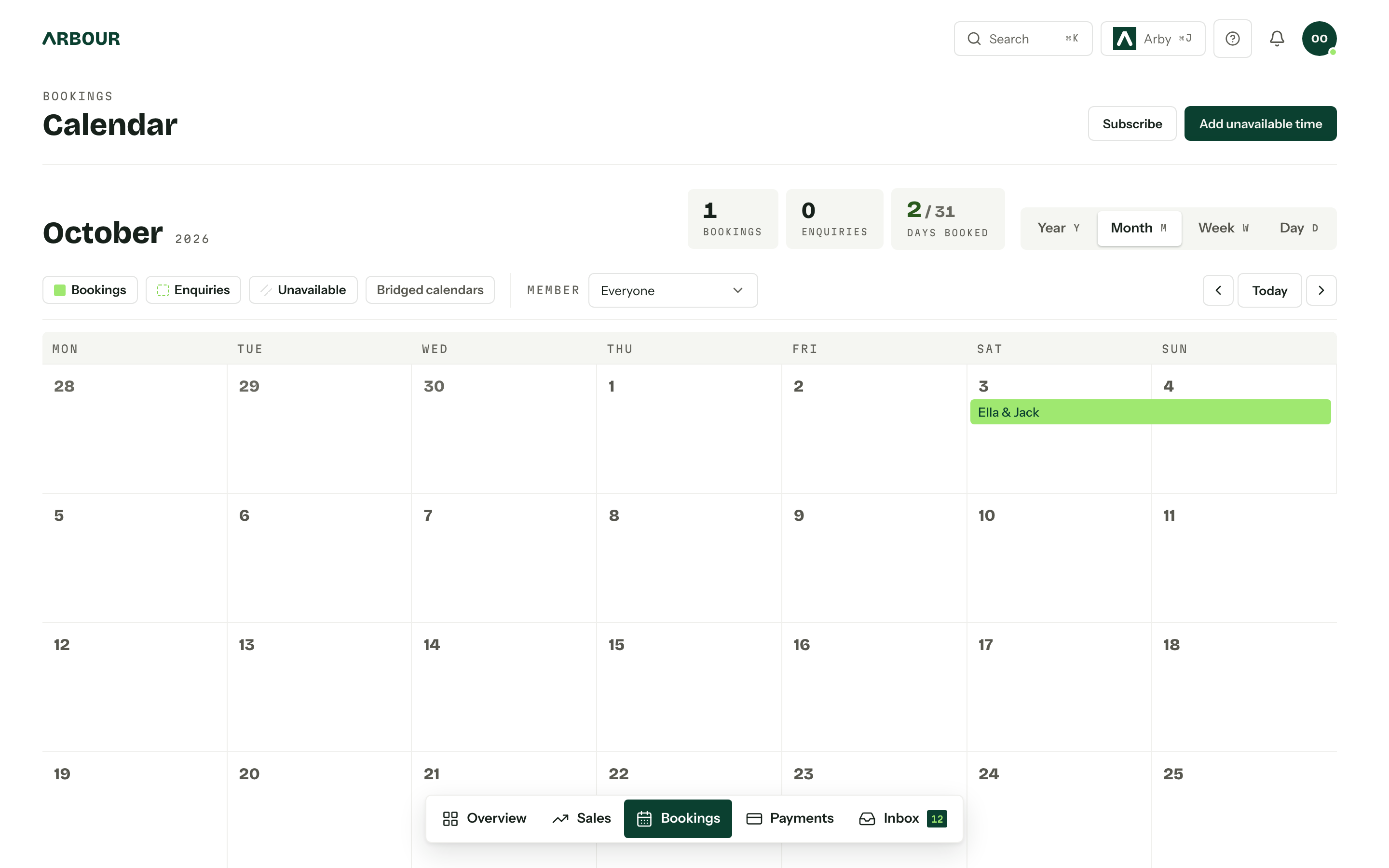
Australian details, already there.
- AUD and GST
- Plan prices are in Australian dollars and include GST. Tax invoices carry your ABN and your invoice numbering. Payment plans can put a deposit on acceptance and the balance before the event.
- Xero and QuickBooks
- Issued invoices, payments and refunds push to Xero or QuickBooks. The sync is one way, so changes in the accounting system do not change the client's invoice in Arbour.
- Support from the founders
- Ben is a wedding videographer who has worked over 250 weddings. Alex is the software engineer who builds Arbour. One of them answers support, Saturdays included.
Choosing the best wedding CRM for your business.
Put a real job through the trial. Send yourself the quote, open the portal on your phone and check what happens after acceptance. These are the questions worth asking before you move the whole book.
Does it cover your work after booking?
Check the calendar, crew, questionnaires and run sheets alongside the sales pipeline. Arbour keeps them on the booking, with roles controlling who can see the money.
See the calendar and run sheetsCan clients use it without another account?
Arbour gives each job a private portal link under your logo and colours. Clients can accept quotes, sign contracts and pay invoices without a password. Studio and House support your own portal domain.
See the client portal workflowCan your history come with you?
Arbour imports exports from Studio Ninja, Dubsado, Pixieset and Sprout Studio. For other systems, upload a CSV and map its columns. Check the preview counts before the import writes anything.
Read about moving your dataDoes the price fit your team?
Count the people and organisations you need, then check the monthly and yearly totals. Solo is for one person. Studio includes eight people across three organisations. House is arranged with the founders.
Compare the full plansWedding CRM pricing, in AUD.
All prices include GST. Solo and Studio include a 14-day trial with no card. Yearly billing gives you twelve months for the price of ten.
| Plan | Monthly | Yearly | Included |
|---|---|---|---|
| Solo | $89 | $890 | 1 organisation, 1 person |
| Studio | $129 | $1,290 | 3 organisations, 8 people |
| House | By arrangement | By arrangement | Unlimited organisations, Unlimited people |
Before you move the book.
- What is a wedding CRM?
- A wedding CRM keeps a vendor's contacts, enquiries and bookings together. Arbour also handles delivery: quotes, contracts, payment plans, the client portal, questionnaires, crew and run sheets stay with the same job.
- Do I have to move everything over in one go?
- No. Coming from Studio Ninja, Dubsado, Pixieset or Sprout Studio, zip up the export and upload it. Contacts, jobs, dates, invoices and documents come across in one run, and you see the counts before anything is written. Coming from anywhere else, export a CSV, say whether it is sales or bookings, and map the columns to your own fields. Arbour suggests the mapping, you correct it. Or bring the season in front of you and leave the archive where it is. Your data goes out again through the API, webhooks, accounting sync and CSV.
- Does it assume every job is a wedding?
- No. A corporate function, a commercial shoot or a staff party goes through the same board with the same quote and the same portal. The words are jobs and contacts, not weddings and couples, because that is what the work actually is.
- How does the trial work?
- Fourteen days, no card. Pick Solo or Studio at sign-up and that plan applies from day one, limits and all. Add a card whenever you like and billing starts when the trial ends, not before. One trial per person, ever, so make it count.
Put your next job through it.
Start with the season in front of you. The archive can wait. Ben or Alex is there if you get stuck.