Book it. Run it.Bank it.Built for.
Arbour is the Australian wedding CRM and project manager that vendors keep open all day. One record carries a job from 'are you free?' to the final invoice.
Wedding CRM in AustraliaPipeline
Photographers- Enquiry in9
- Date held5
- Contract out3
- Deposit paid2
- Gallery delivered31
Illustrative · one vendor’s book
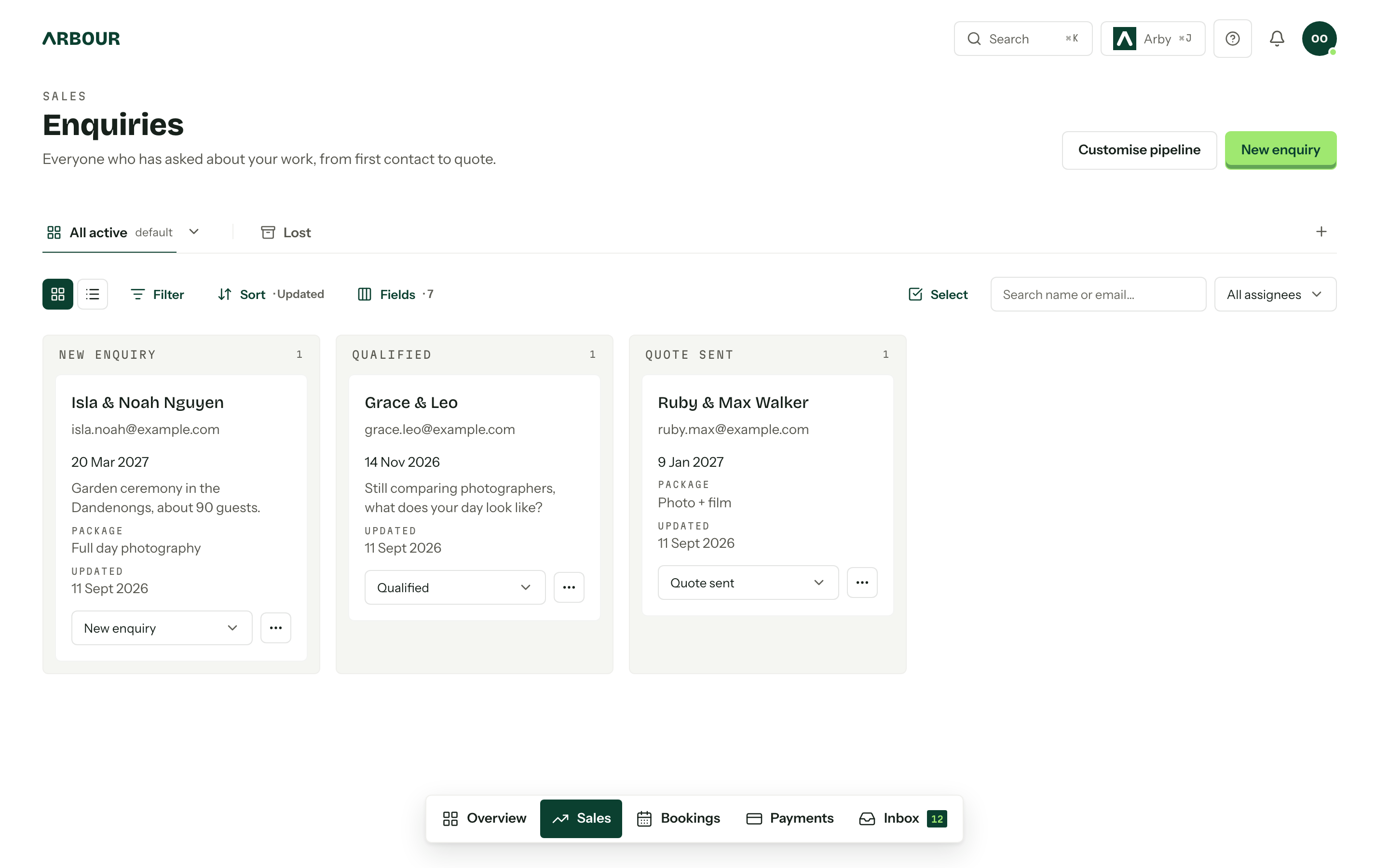
Stage 01, Enquiry in. Every “are you free?” lands on the board.
A form on your site
Hosted or embedded, one public link that never changes. A submission is a card on the board with every answer on it.
Your inbox, filed on the job
Connect Gmail or Microsoft 365. Every thread with a contact sits on their enquiry, and a reply from Arbour goes out from your address.
Stages are yours
Rename, reorder, add and remove them. Saved views, filters, assignees, and a custom field for anything we did not think of.
Coming from somewhere else
Studio Ninja, Dubsado, Pixieset or Sprout Studio: zip up the export and the history comes across in one run. Anything else, upload the CSV and map the columns yourself.
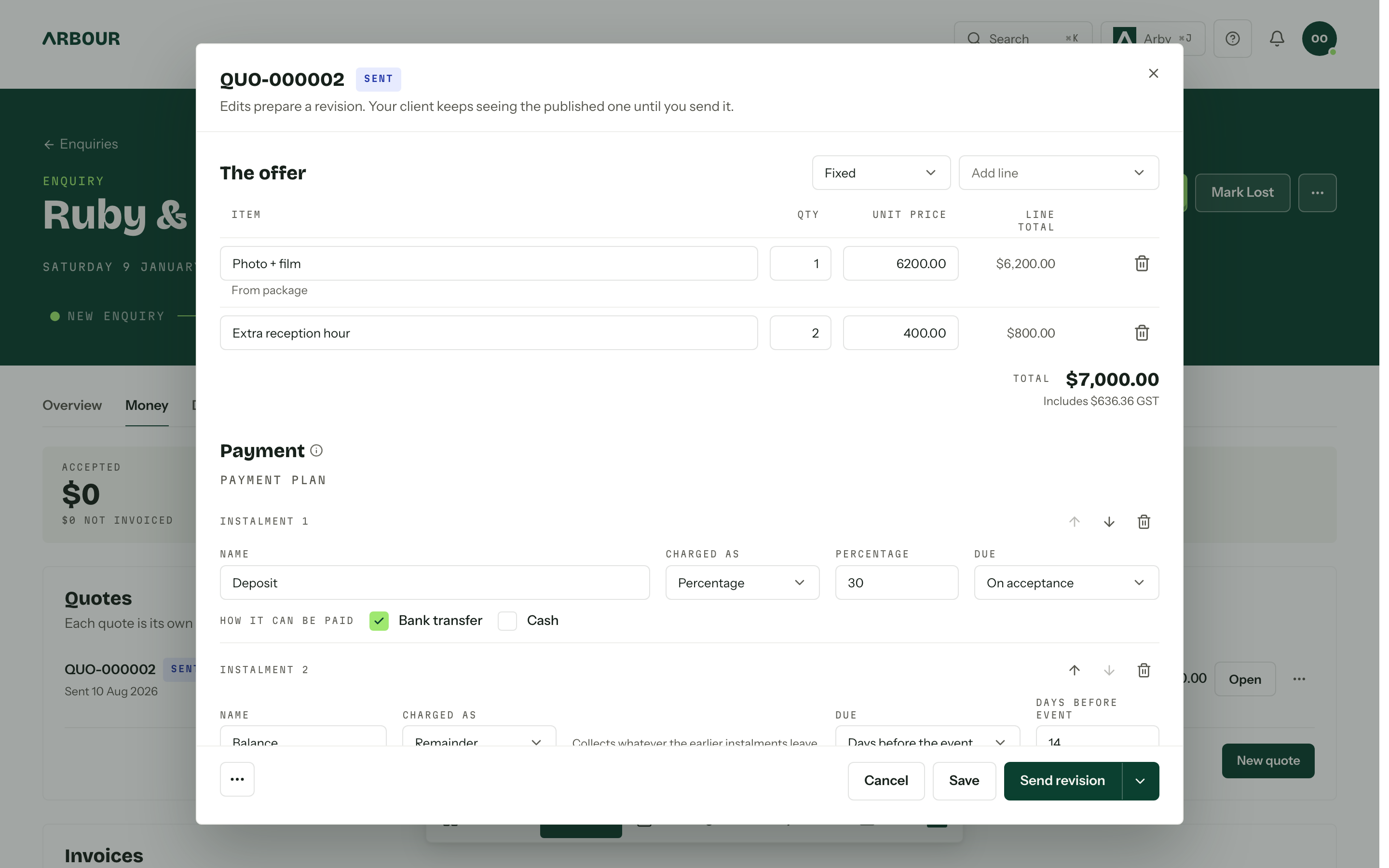
Stage 02, Quote out. Quote, contract, deposit. One chain.
Fixed or flexible
Send it take-it-or-leave-it, or let the client tick the optional lines. Packages copy in with their price and their description.
The contract rides on the quote
Accepting freezes the wording and sends it for signature in the portal. Countersign if you want to. Nothing goes out without one.
Deposit on acceptance
Instalments come off a payment plan: a percentage on acceptance, the balance so many days before the event. Card through Stripe, or bank transfer.
Revisions, not resends
Edit a sent quote and it becomes a revision. The client keeps seeing the published one until you send the new one.
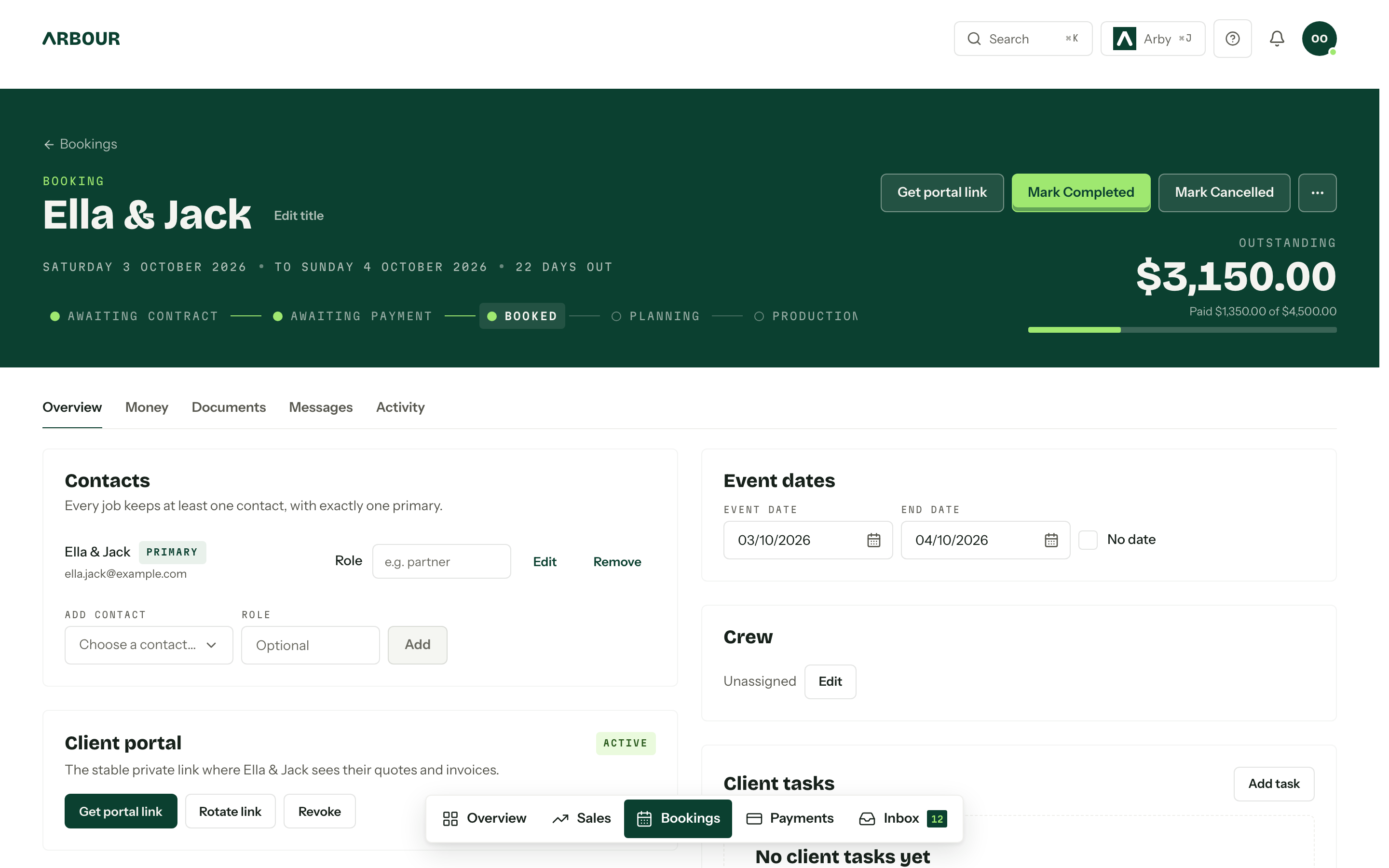
Stage 03, Booked. Accepted. Same record, now a booking.
One private link per job
Quotes, contracts, invoices, questionnaires, the run sheet and one conversation, under your logo and colours, on your own domain if you have one. No account, no password.
The money, on the header
Paid instalments ticked off, the next one dated, the outstanding figure in large type. Overdue turns red here, on the overview and in the portal.
Questionnaires
The questions you need answered before the day, with file uploads and revisions. Answers land on the job, not in a PDF.
Custom fields
Guest count, dietaries, shot list, load-in window. Yours to define, shown on the card, the board and the form.
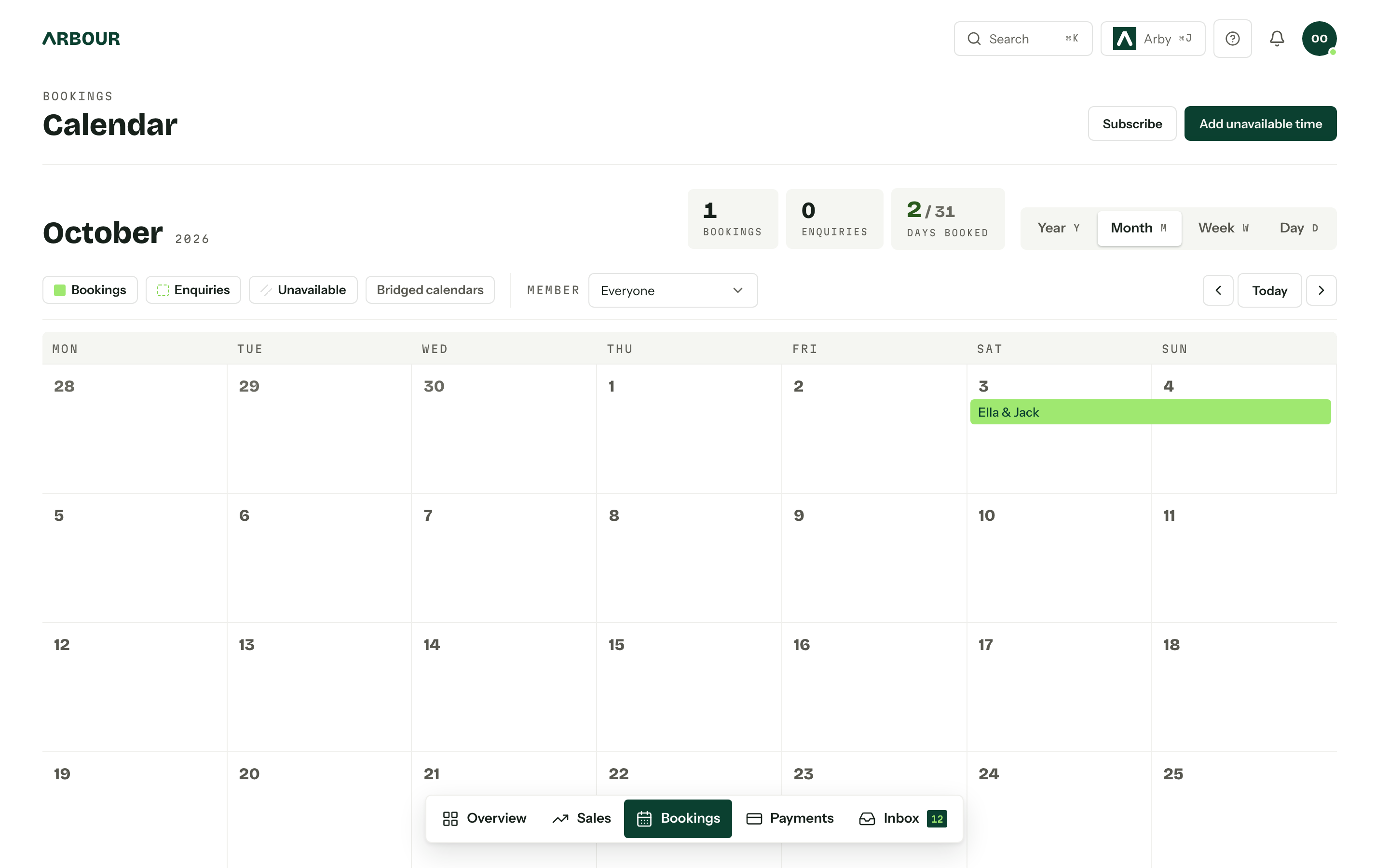
Stage 04, The day. The book, the run sheet, and who is where.
One calendar, every job
Enquiries, bookings and unavailable time in one grid, by year, month, week or day. Subscribe from your phone. Bridge Google or Outlook so a dentist appointment blocks the date.
Run sheets the client can edit
Timings on the booking's Day-of tab, shared into the portal. You decide whether they can view, add, edit or delete entries.
Crew on the job
Assign members to a booking. Everyone sees the work that is theirs; roles decide who sees the money.
Reminders that count the days
Automations run on a date around the event: the final-numbers questionnaire fourteen days out, the run sheet on the Tuesday.
Stage 05, Paid. The whole job, banked.
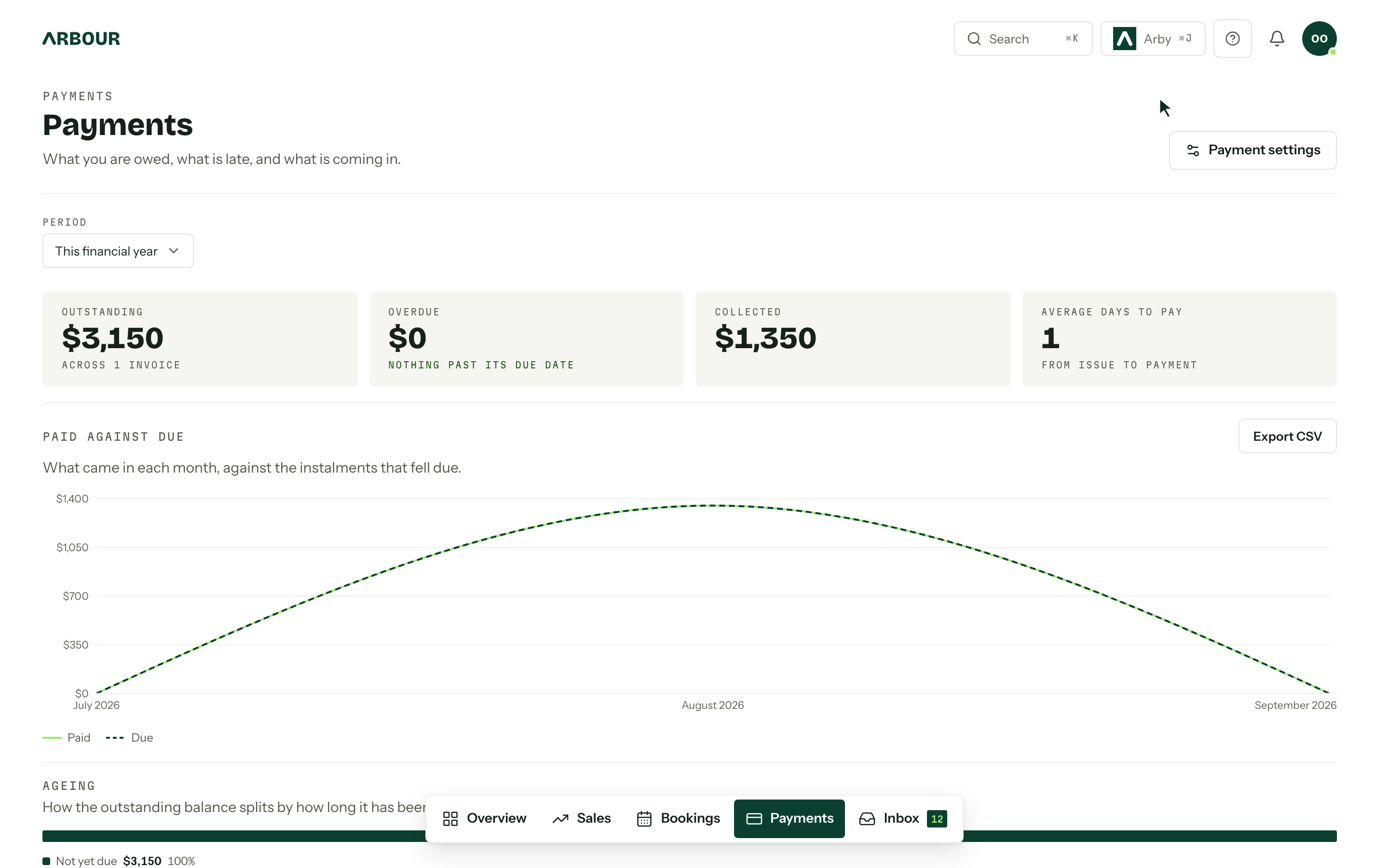
Tax invoices with your numbering
Your ABN, your sequence, GST included. Instalments follow the payment plan the quote was sent with.
Xero or QuickBooks, one way
Issued invoices, payments and refunds push across. Nothing your bookkeeper changes over there comes back to touch what the client sees.
Reports, not a spreadsheet
Enquiries, conversion, time to convert, booked revenue, outstanding, overdue, ageing. Export CSV from any card.
Stripe under the hood
Card payments and refunds through Stripe Connect, into your own account. Receipts go out on their own.
Nothing needs you.
Genuinely. The overview counts what is waiting on a person: enquiries without a reply, contracts out for signature, overdue invoices, run sheets due. When a count is zero the row is not there at all, and the rail says so. Go and have a coffee that is not from the servo.
Needs you
Illustrative- Enquiries waiting on a reply5
- Contracts out for signature2
- Run sheets due3
- Overdue invoices1
Nothing needs you
Enjoy it while it lasts. The moment an enquiry lands or an invoice runs late, it turns up here first.
Automations
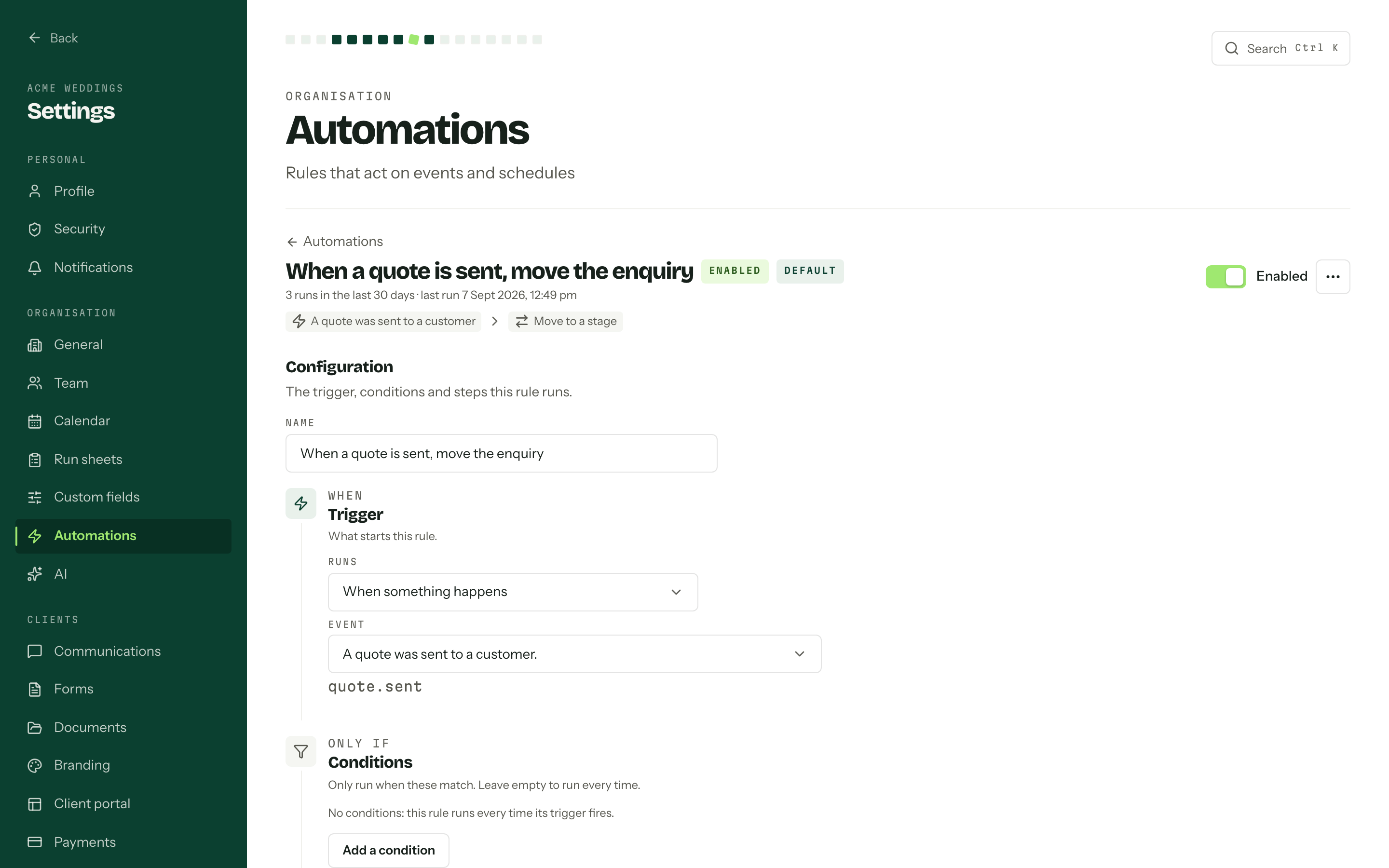
One sentence with three parts: when this happens, only if these match, then do this. Five rules ship with every organisation. Write your own: move a stage, email the client, nudge the team, call a webhook, wait a while.
A rule written for Photographers. Illustrative.
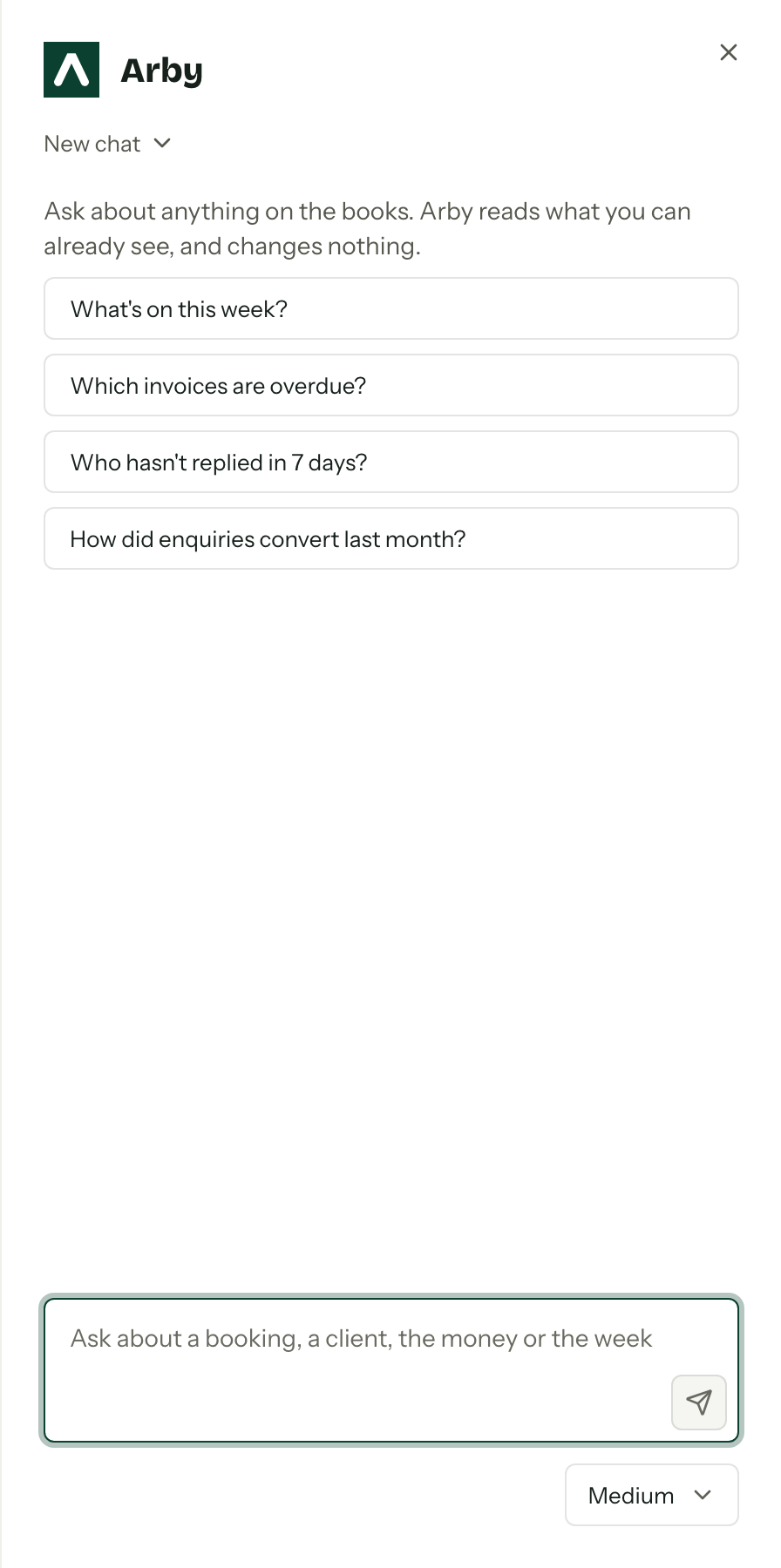
Arby
Ask who is booked in March or which invoices are overdue and get the answer without hunting for the screen. Arby reads only what your role can already see, and it changes nothing.
Built for the whole industry.
The florist, the celebrant, the caterer, the band and the venue each get their own pipeline, their own fields and their own enquiry form, inside the same product. Pick yours and the page follows.
Pipeline
Photographers- 01Enquiry in9
- 02Date held5
- 03Contract out3
- 04Deposit paid2
- 05Gallery delivered31
Illustrative · rename any stage
Automation · written for Photographers
A couple books you, send over a confirmation and questionnaire.
Your pipeline, fields and enquiry form start in your trade’s words at sign-up, and all of it can be renamed. Rules like this one run on their own once they are on.
No hostages
- Import from Studio Ninja, Dubsado, Pixieset or Sprout Studio, or map your own CSV.
- API keys on every plan. Outbound webhooks on Studio and House.
- Xero and QuickBooks Online sync, CSV from every report.
- Lock-in is not a business model, it is a hostage situation.
Australian-first
- Australian dollars, GST included, ABN on the tax invoice.
- Dates the right way round. Weeks start on Monday.
- Gmail and Microsoft 365, Stripe, Xero, QuickBooks.
- Support answered by one of the two founders, Saturdays included.
Never assumes a wedding
- Jobs, not weddings. Contacts, not couples.
- A corporate function or a commercial shoot runs through the same board.
- Custom fields carry what your category needs, nothing hard-coded.
- Pick a category at sign-up and the starter fields, questions and stages are there.
Every screen is written up in the help centre, which needs no login. If it is not in there, ask one of us.
Cheaper than an hour of your time.
Australian dollars, GST included. 14 days free on Solo and Studio, no card. Pay yearly and get two months free.
Solo
One organisation, one person. You, and nobody to invite.
1 organisation · 1 person
- Pipeline, contacts and calendar
- Quotes, contracts and invoices
- Connected mailbox and templates
- Enquiry form, portal and run sheets
- Automations and API keys
Studio
A team. Three organisations, eight people, and seats past that at $19 each.
3 organisations · 8 people
- Everything in Solo
- Roles and granular permissions
- Client portal on your own domain
- Outbound webhooks
- Extra seats, $19 a month each
House
EnterpriseVenues, groups and studios who have outgrown everyone else's software.
Unlimited organisations · Unlimited people
- Everything in Studio
- Priority feature requests
- Onboarding done for you
- Priority support
Studio grows past eight people at $19 a month per seat, or $190 a year. Yearly is ten months for the price of twelve. One trial per person, ever; the plan you pick at sign-up applies from day one, and billing starts when the trial ends.
Reasonable questions
Fourteen days, no card. Pick Solo or Studio at sign-up and that plan applies from day one, limits and all. Add a card whenever you like and billing starts when the trial ends, not before. One trial per person, ever, so make it count.
No. Coming from Studio Ninja, Dubsado, Pixieset or Sprout Studio, zip up the export and upload it. Contacts, jobs, dates, invoices and documents come across in one run, and you see the counts before anything is written. Coming from anywhere else, export a CSV, say whether it is sales or bookings, and map the columns to your own fields. Arbour suggests the mapping, you correct it. Or bring the season in front of you and leave the archive where it is. Your data goes out again through the API, webhooks, accounting sync and CSV.
No password and no account. Every job has one private link, and it opens on their phone under your logo and colours: quotes to accept, contracts to sign, invoices to pay, the run sheet, the questionnaire and one conversation for the job. On Studio and House the link can live on your own domain, clients.yourstudio.com.au, and Arbour handles the certificate.
The fonts are better. The real difference is that Studio Ninja is built for photographers and Arbour is built for the wedding, so the florist, the celebrant, the caterer, the band and the venue all run their own pipeline in it. It also does the delivery half: the calendar, the crew, the run sheet, the money after the deposit.
No. A corporate function, a commercial shoot or a staff party goes through the same board with the same quote and the same portal. The words are jobs and contacts, not weddings and couples, because that is what the work actually is.
Yes. House includes priority feature requests. Tell us what your business needs by emailing support@usearbour.com and one of the two of us will reply.
Ben or Alex. Ben has worked over 250 weddings behind a camera and still shoots, Alex writes every line of the software. Saturdays included, because that is when the job is. The help centre is public if you would rather read than ask.